 Cloud Policy Preferences
Seven policy types. Half a million configurations. One remediation. Zero servers.
The Group Policy Preferences alternative for Intune: registry settings, files, drive and printer mappings, shortcuts, scheduled tasks and environment variables — targeted at the Entra ID groups you already have and delivered through the Intune remediation you already run.
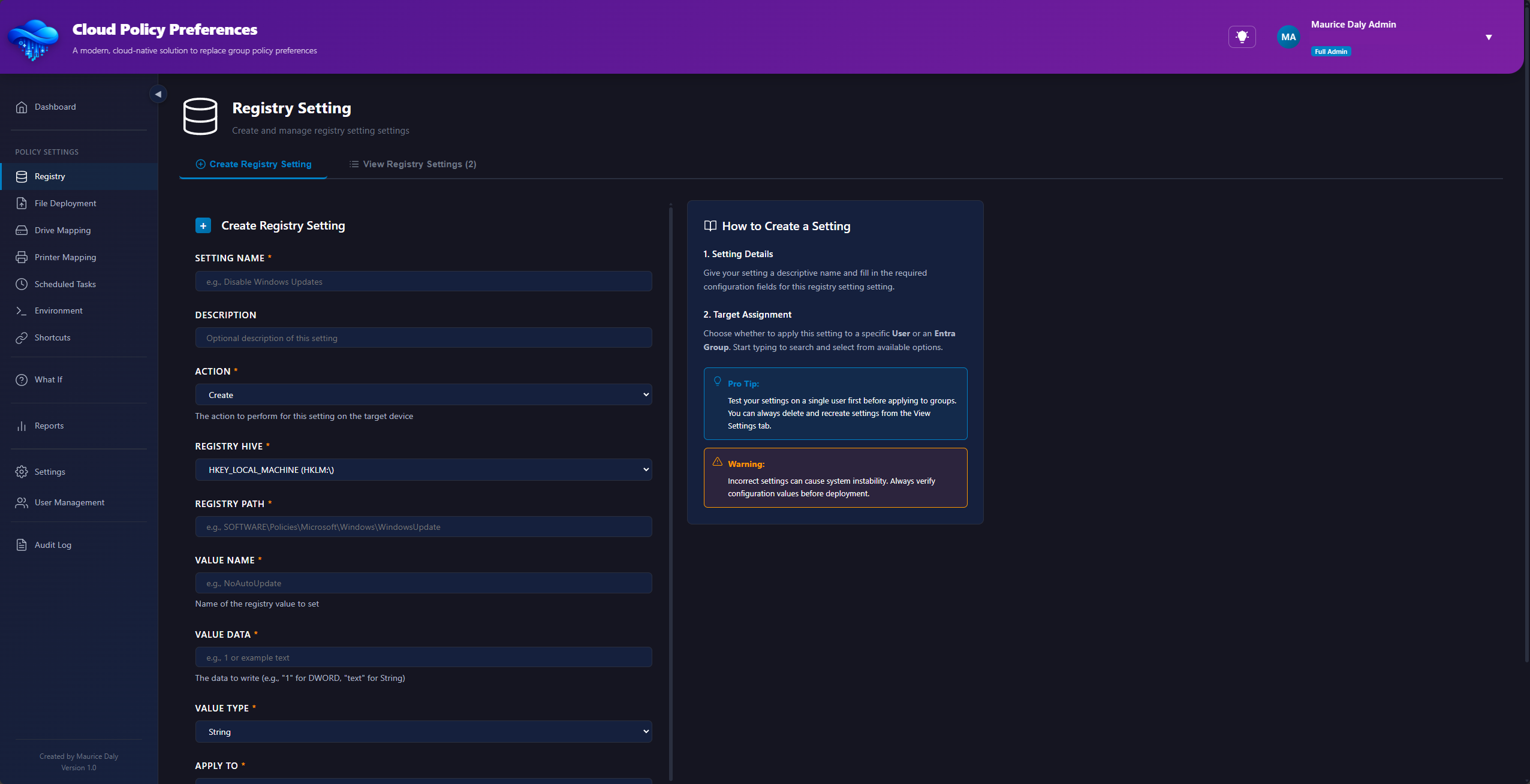
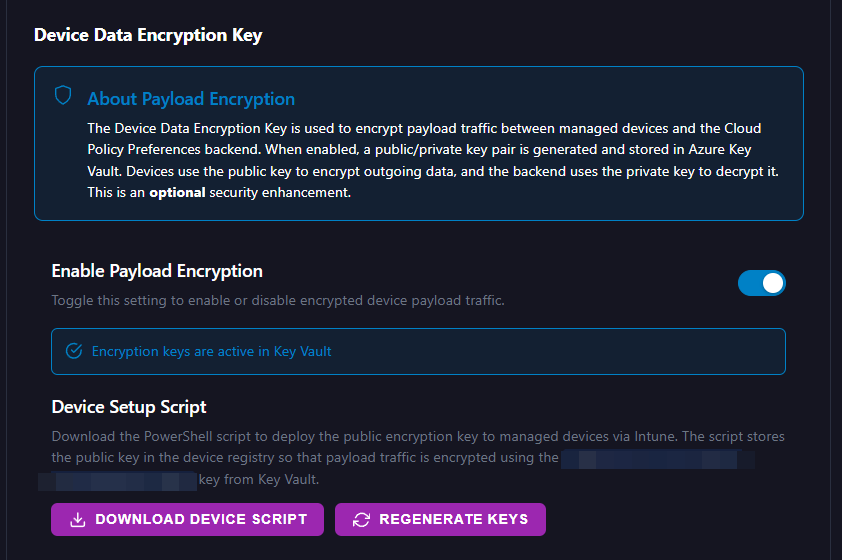
Push a preference to a group, not a device at a time.
Build the policy once, target an Entra ID group, and let the Intune remediation deliver it. Deployment state comes back per device, so you can see what landed and what did not.
- Entra group and scope-tag targeting
- Per-device deployment state
- One remediation covers all seven types
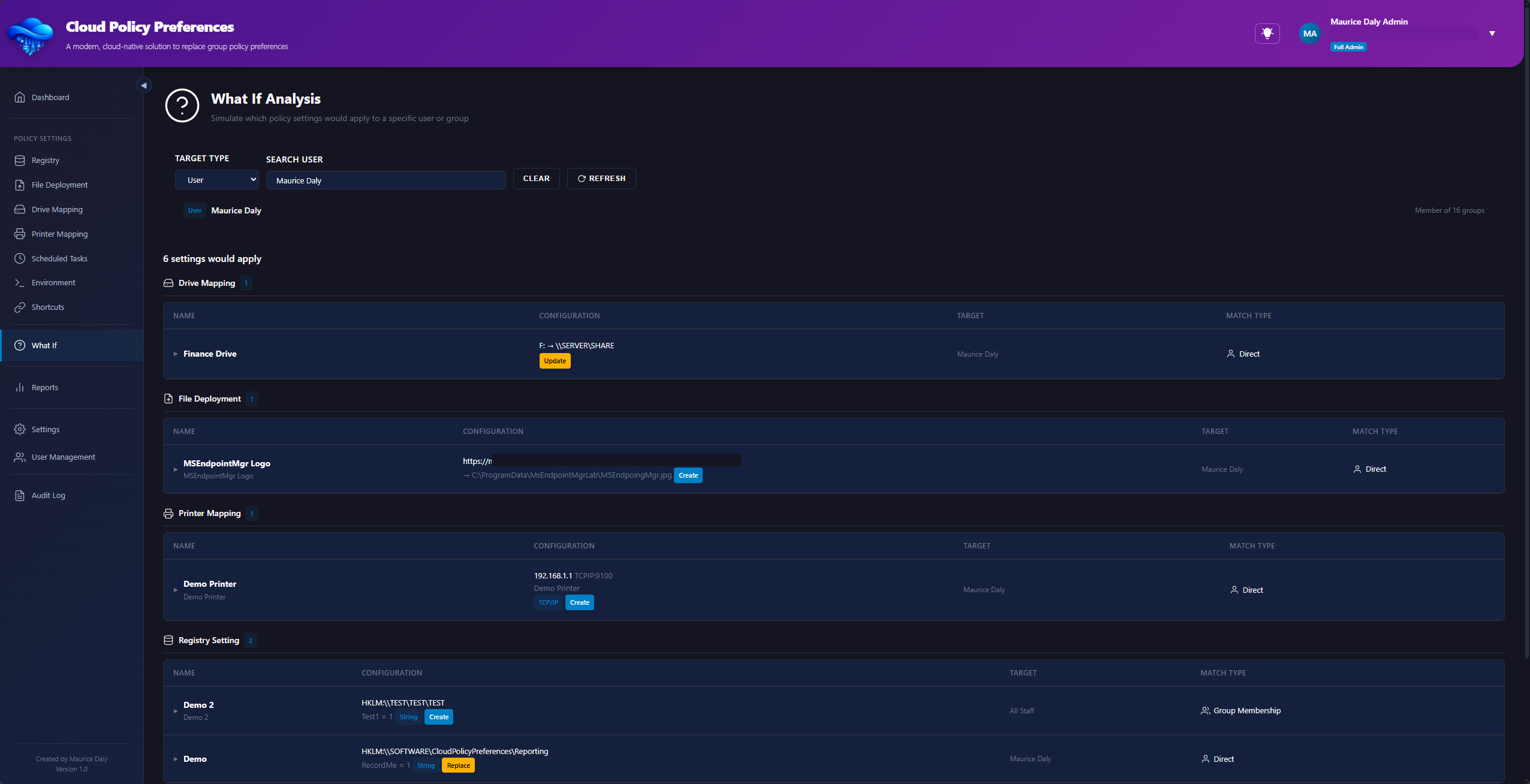
Know what applies before you deploy it.
Pick a user, a device or a group and see every policy that would apply to it. Overlaps and conflicts surface in seconds, rather than after the service desk calls.
- Per-user and per-device preview
- Conflict and overlap detection
- Answers before the change window
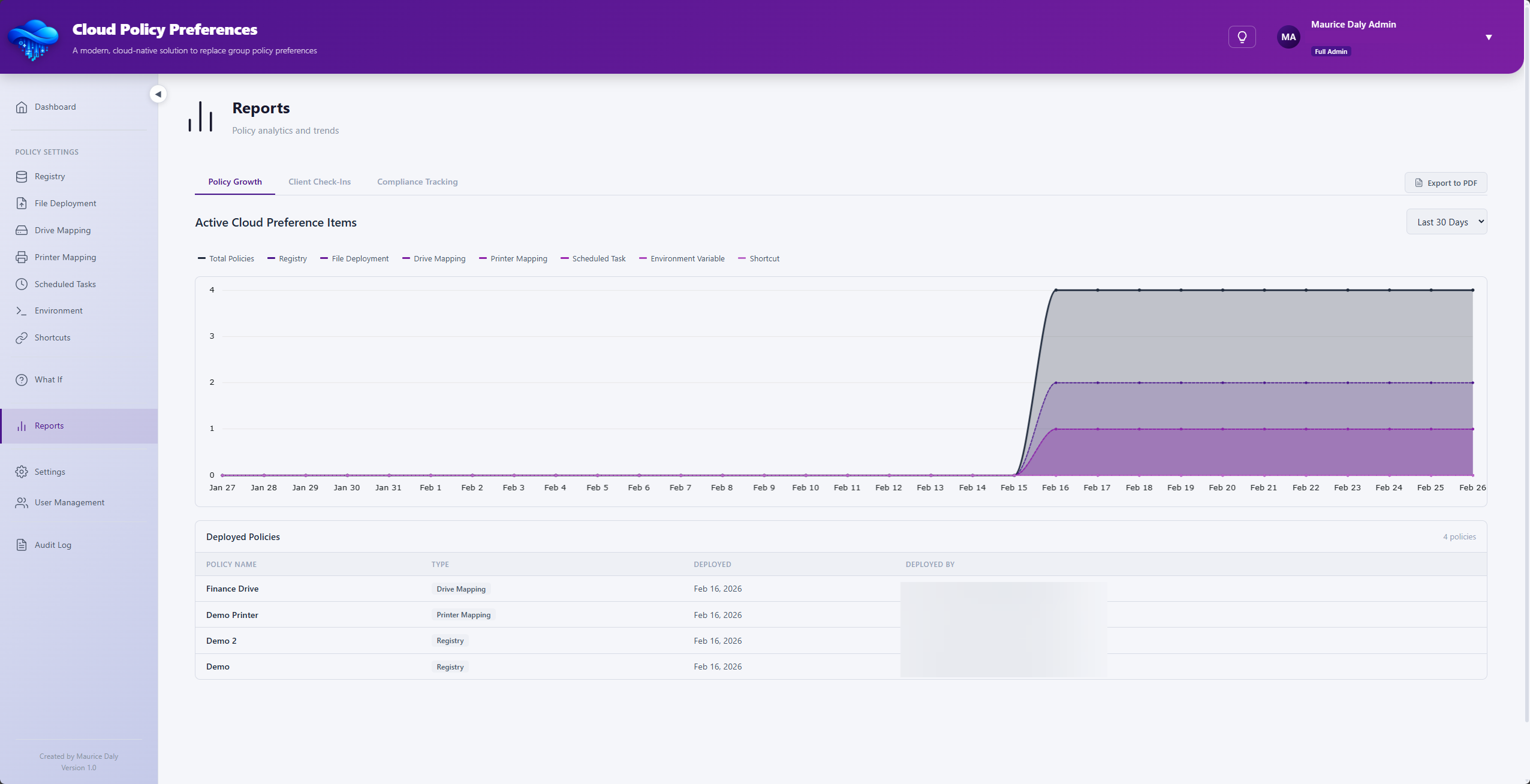
Evidence, not guesswork.
Settings drift, client check-ins and policy history across the fleet — exportable as PDF the moment somebody asks you to prove what is deployed.
- Settings drift monitoring
- Client check-in history
- PDF export for audit
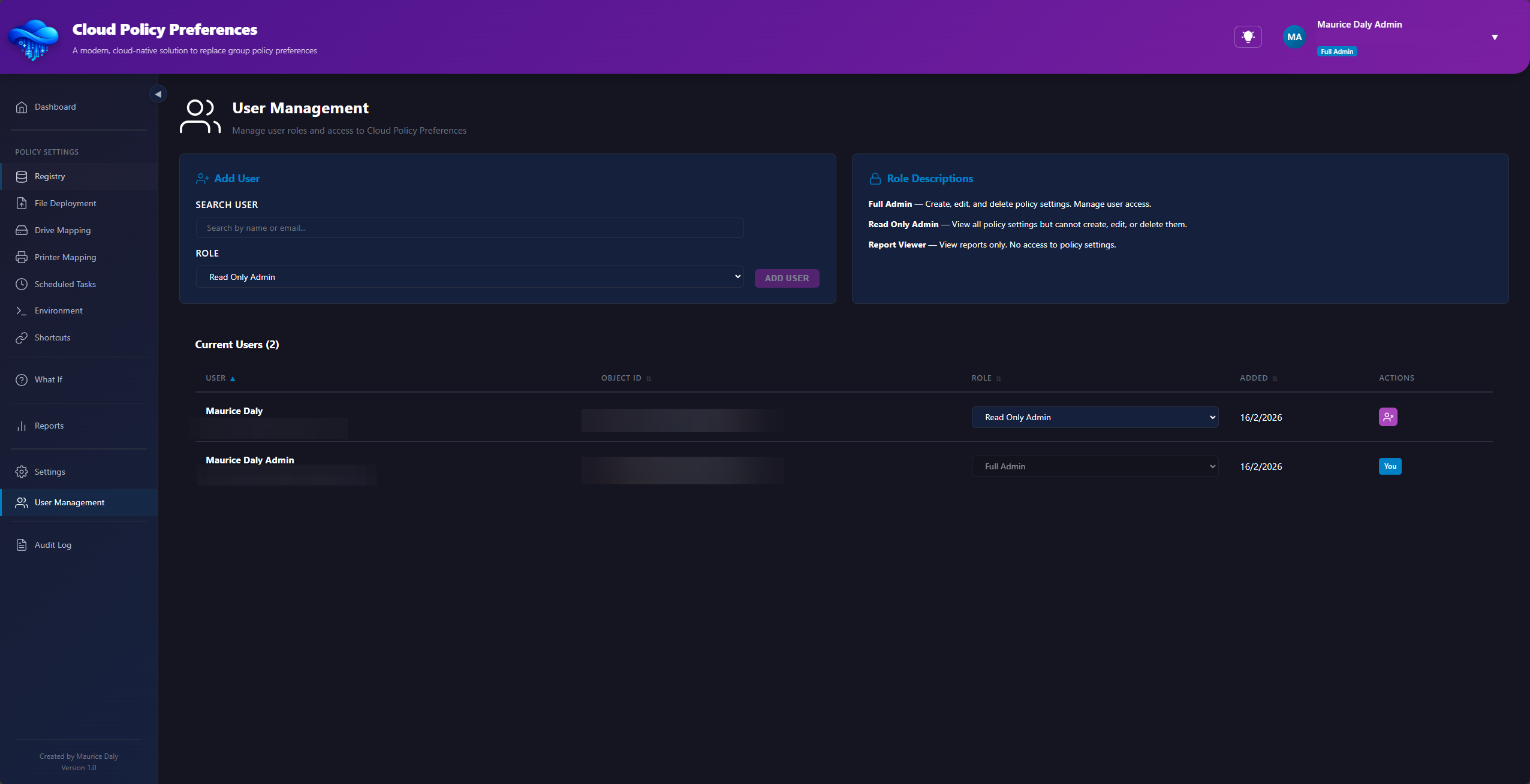
Least privilege, without a spreadsheet.
Full Admin, Read Only Admin and Report Viewer roles, assigned to the Entra users and groups who need them — plus optional multi-admin approval when a change deserves a second pair of eyes.
- Three built-in roles
- Entra user and group assignment
- Optional four-eyes approval
Encrypted per tenant, end to end.
A tenant-derived key held in Azure Key Vault, payloads encrypted in transit and at rest, and Azure OpenAI validation of every script before it is allowed anywhere near a device.
- TDEK held in Azure Key Vault
- Payloads encrypted in transit and at rest
- AI validation of scripts and shortcuts
Trusted by 0 organisations
Every one of them running their own tenant, their own policies and their own Entra groups — on a tool that costs nothing.
Everything Group Policy did, minus the domain controller.
Preference types
The seven Group Policy Preference types Intune never replaced, managed together in one place.
Servers to provision
No infrastructure, no database, no agent to build. The platform runs as a managed service.
Minutes to your first policy
Sign in, generate your keys, build a policy, push the remediation. That is the whole path.
Granular control, without going back to a domain controller.
Built for Intune administrators who kept a Group Policy Preferences shaped hole in their environment when the domain went away.
Policy deployment
Registry, file, drive, printer, shortcut, scheduled task and environment variable policies with real-time monitoring and scope-tag targeting.
Role-based access
Decide who creates, who only reads, and who only sees reports. Scope assignments to users or groups and keep least privilege everywhere.
What-if analysis
Preview which policies apply to any user, device or group before you make the change, and catch overlapping assignments early.
Reporting and auditing
PDF exports, settings drift, client check-in history and dashboard insight across the whole fleet.
File validation
Automated five-minute validation scans for PowerShell scripts and shortcuts. Blocked policies are quarantined until they pass.
Teams notifications
Daily webhook notifications for policy changes, validation alerts and check-in summaries, so the team hears it without asking.
Drive mapping, printer mapping and registry settings — in Intune.
The seven Group Policy Preferences (GP Prefs) types that configuration profiles never replaced, each with its own guided form and its own targeting.
Intune registry settings
Create, update, replace or delete HKLM and HKCU values — REG_SZ, DWORD, QWORD, binary, multi-string and expandable string — exactly as a Group Policy registry item would.
Drive mapping
Map network drives by UNC path with a drive letter, a display label and persistent or session-based connections, targeted at the group that needs them.
Printer mapping
Connect shared printers by UNC path, set the default printer per user or device, and remove connections cleanly when the targeting changes.
File deployment
Copy configuration files, certificates, templates and scripts from Azure Blob Storage to any local path, with version tracking and AI validation before release.
Shortcuts
Place desktop and Start menu shortcuts to applications, files or URLs, with the icon, arguments and working directory you specify.
Scheduled tasks
Create scheduled tasks that run as SYSTEM or as the signed-in user, with the trigger, battery, network and time-limit conditions set for you.
Environment variables
Set machine or user environment variables without a login script, and remove them again when the policy no longer applies.
Encrypted per tenant. Every layer, accounted for.
Keys are generated for your tenant and held in Azure Key Vault. Devices authenticate before any payload is released, and every script is reviewed before it can deploy.
See how it is set upSign in. Generate keys. Build a policy. Deploy.
No infrastructure to provision, no agents to build, no integration project to negotiate with anyone.
Sign in with Entra ID
Authenticate with your Microsoft account and consent to the minimal read-only permissions.
Generate your keys
Create your tenant encryption key and API key from the settings page — one click each.
Build your first policy
Use the guided builder for a registry value, drive mapping, printer or any supported type.
Deploy through Intune
Push the lightweight remediation and devices start collecting their encrypted payload.
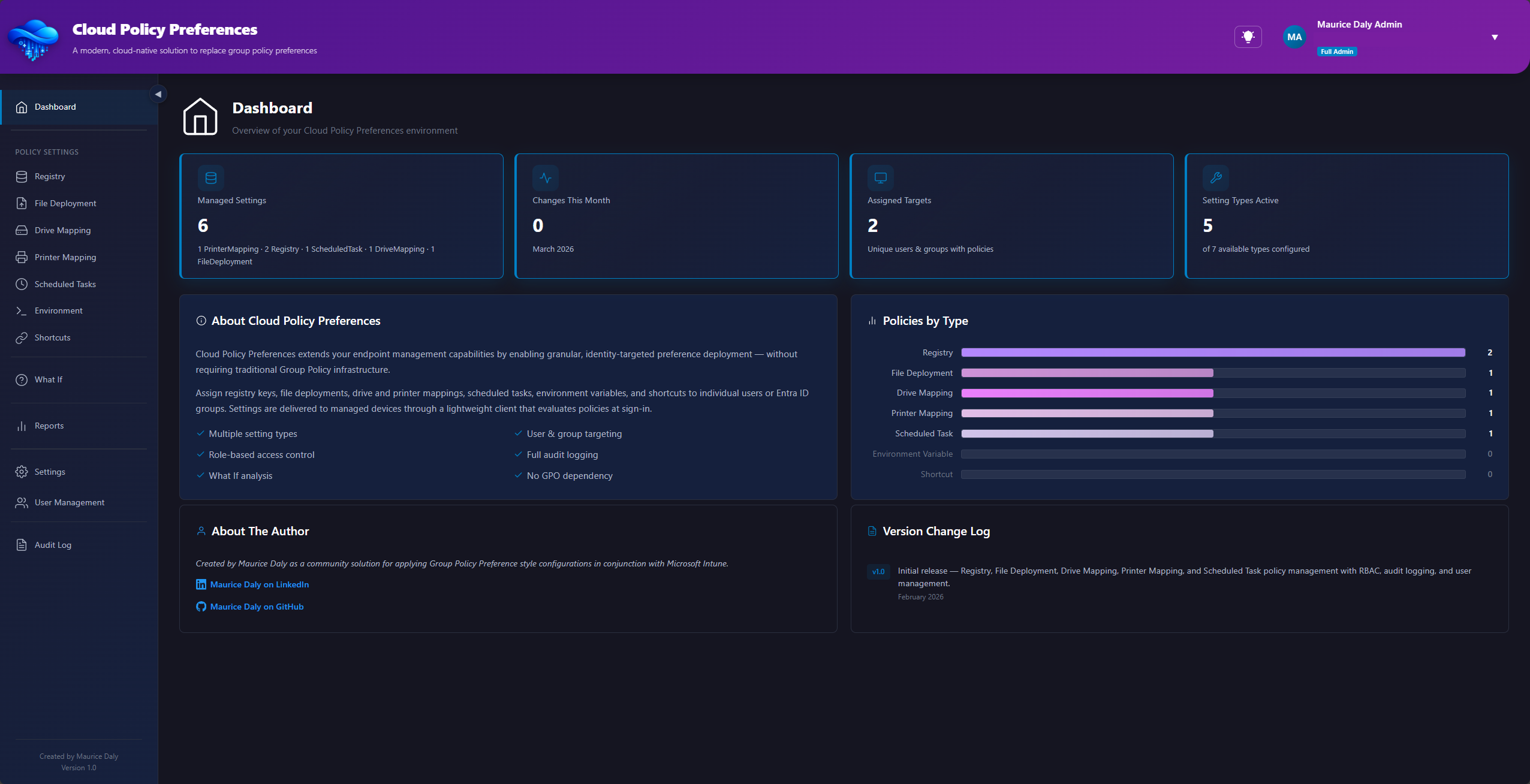
A policy builder that explains itself.
Every policy type gets the fields that type actually needs, plus a plain-English summary of what the setting will do once it lands on the device.
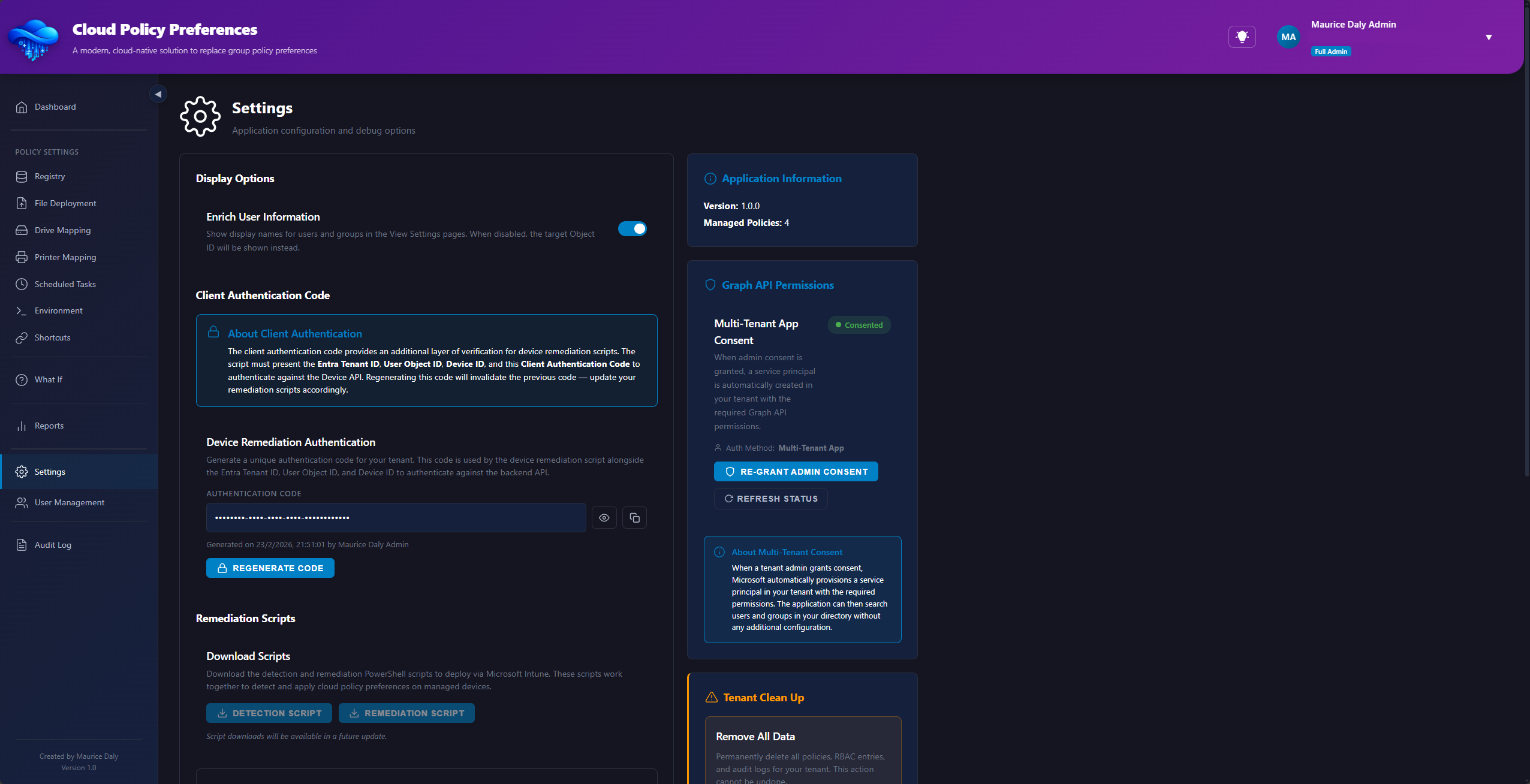
Target the groups you already have.
Assign policies to the Entra ID users and groups already in your tenant. Display names are resolved for you, so an assignment reads as a person or a team — not an object ID you have to go and look up.
Why this existsGroup Policy Preferences and Intune, answered.
The questions administrators ask most often when they reach this part of a migration.
Is there an alternative to Group Policy Preferences in Intune?
Not natively. Intune configuration profiles deliver the settings Microsoft exposes through a configuration service provider (CSP), and Group Policy Preferences was never built that way. The seven GP Prefs types — registry items, drive mappings, printer mappings, shortcuts, scheduled tasks, environment variables and file copies — have no direct equivalent, so most environments rebuild them as PowerShell. Cloud Policy Preferences is a purpose-built alternative that delivers all seven through the Intune remediation channel you already run.
How do I map a network drive with Intune?
Intune has no drive mapping policy, so the usual answer is a login script or a proactive remediation. Here you create a drive mapping policy — UNC path, drive letter, label, persistent or session — and target it at an Entra ID security group. The remediation applies it in the signed-in user's context and reports back which devices took it.
Can Intune map printers to users or devices?
Not through configuration profiles. Universal Print covers cloud printing, but shared printers on a print server still need a script. A printer mapping policy connects the printer by UNC path, can set it as the default, and removes the connection when the targeting changes or the policy is deleted.
How do I deploy registry settings with Intune?
The settings catalogue covers registry-backed settings that Microsoft has surfaced through a CSP; anything else needs a custom OMA-URI or a script. A registry policy here writes any HKLM or HKCU value — string, DWORD, QWORD, binary, multi-string or expandable string — with create, update, replace and delete actions that mirror Group Policy Preferences behaviour.
Do I need to keep a domain controller for GP Prefs?
No. Nothing here touches Active Directory. Devices authenticate to the service with a tenant API key, policies target Entra ID users and groups, and delivery happens through Intune — so the last policy keeping a domain controller alive can go with it.
Does it install an agent on my devices?
No. Delivery uses a lightweight detection and remediation script pair that you upload to Intune as a remediation. There is nothing to install, patch or uninstall, and you can withdraw the whole thing by removing the remediation assignment.
What does it cost?
Nothing. Cloud Policy Preferences is a free community tool. You need a Microsoft Entra ID account and an Intune licence to deploy the remediation; there is no card to enter and no trial clock.
Still deploying preferences by login script?
Bring a tenant and a group to target. You can have your first policy on a device before the kettle boils.
Launch the portal